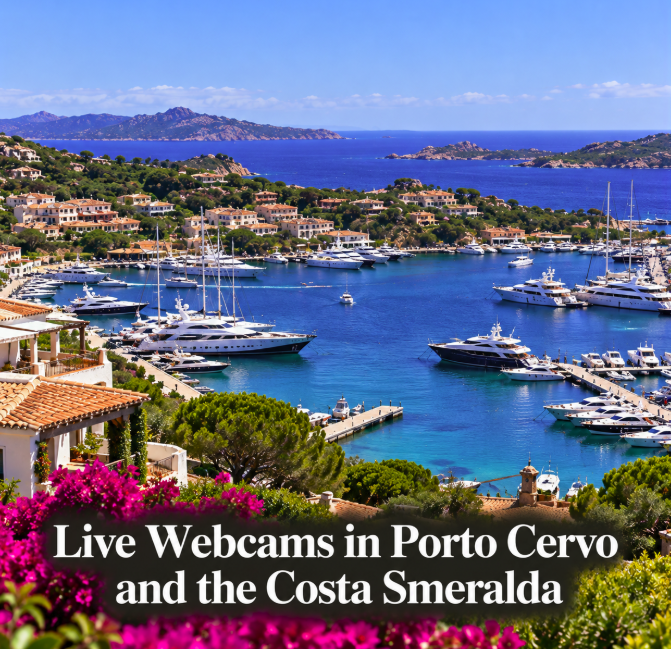
A live webcam is one of the quickest ways to see what Porto Cervo and the Costa Smeralda actually look like today. Before driving to the beach, heading out by boat or simply daydreaming about northeast Sardinia, current camera images can reveal cloud cover, visibility, sea conditions and how busy a waterfront appears. Several online sources currently provide camera views around Porto Cervo and the wider Costa Smeralda, although not every page labelled “live” is a continuous video stream.
The most useful approach is to combine a Porto Cervo camera with official weather and marine information. A webcam can show you the sky and sea at one location; it cannot tell you whether conditions are safe for swimming, sailing or other activities elsewhere along the coast.
Porto Cervo Marina webcam
SkylineWebcams currently maintains a Porto Cervo webcam page focused on the marina area. The view is useful for getting an immediate visual impression of conditions around one of the best-known harbours on the Costa Smeralda.
For travelers, a marina camera can be particularly useful on changeable days. You can see whether the sky appears clear, hazy or overcast and whether visibility across the waterfront is good before leaving your accommodation.
Keep in mind that a camera view is only a snapshot of one small area. Wind and sea state outside the protected marina can be very different from what appears inside the harbour.
Weather webcams around Porto Cervo
Windy aggregates webcam locations and weather information in and around Porto Cervo, making it useful when the purpose of checking a camera is practical rather than purely scenic. Its map-based interface can help identify nearby cameras and compare the visual image with forecast wind conditions.
This is especially relevant for sailors, paddleboarders, kayakers and anyone planning a boat excursion. Northeast Sardinia can experience substantial changes in wind, and a calm-looking bay should never replace a proper marine forecast.
Windfinder also provides forecast information for the Porto Cervo area. Using a weather service alongside the camera gives a better picture than relying on the webcam alone.
Look beyond Porto Cervo itself
If the Porto Cervo camera is offline or the lens is obscured, check nearby Costa Smeralda locations. The coastline around Porto Cervo includes Poltu Quatu, Cala di Volpe, Capriccioli, Liscia Ruja, Romazzino and other bays where conditions may differ because of their orientation.
Weather cameras elsewhere in Gallura can also be useful for understanding whether cloud, rain or haze is localized or widespread. A grey image in one bay does not automatically mean the entire Costa Smeralda has poor weather.
Live video versus frequently updated images
Webcam terminology can be confusing. Some services offer continuous streaming video, while others publish a still image refreshed every few seconds or minutes. Both can be useful, but they should not be treated as identical.
If you need to assess movement—for example, the strength of gusts in trees or activity on the water—a real-time stream is more informative. A frequently refreshed still image is better for checking cloud cover, visibility and general conditions.
Webcams can also temporarily freeze, lose connection or display an old frame. Look for a visible timestamp or refresh indicator when available. If the image has not changed for a long period, confirm conditions through another source.
Can a webcam tell you whether to go to the beach?
It can help, but only as one part of the decision. A Porto Cervo webcam can show sunshine, cloud, rain or obvious rough conditions, yet beaches a few kilometres apart can face different directions and respond differently to wind.
For swimming, check the local weather and sea forecast and pay attention to any warnings or lifeguard instructions at the beach. For boating, use appropriate marine forecasts and follow the operator's decision if you have booked an excursion.
The same caution applies to thunderstorms. A beautiful frame captured a few minutes earlier does not guarantee stable conditions for the rest of the afternoon.
Using webcams before a Costa Smeralda road trip
If you are staying in Olbia or elsewhere in Gallura, webcams can help decide whether to head north toward Porto Cervo or change the day's plans. The drive from Olbia into the Costa Smeralda is short enough that many visitors make weather-dependent decisions in the morning.
Check the camera shortly before departure rather than the night before. Then compare it with the day's forecast. If the coast is cloudy but the weather is expected to improve, you may prefer a slower morning and a later beach visit.
During peak summer, a camera can sometimes give a rough visual clue about activity around a marina or waterfront, but it should not be used as a reliable measure of parking availability or beach capacity.
Webcams for sailors and boat trips
Porto Cervo is strongly associated with sailing, marinas and yacht traffic, so it is natural to use a harbour webcam before a day on the water. The image can be useful for visibility and general atmosphere, but the protected water inside a marina is not representative of offshore conditions.
Before leaving port, check wind speed and direction, gusts, wave forecasts and any relevant marine warnings. If you are joining a commercial boat trip, the skipper or operator is responsible for assessing whether conditions are appropriate for the planned route.
This is particularly important around exposed sections of northeast Sardinia and when excursions head toward the La Maddalena archipelago.
Why a Porto Cervo webcam is useful outside summer
The Costa Smeralda changes dramatically through the year. July and August bring intense activity, boats and bright summer conditions, while winter can be quiet, windy and occasionally stormy.
A webcam provides a simple way to see that seasonal contrast. It can also be useful for travelers planning spring or autumn trips, when the weather can change more noticeably from one day to another and online photographs from peak summer give a misleading impression of current conditions.
For people planning a future visit, checking the same camera at different times of year is an easy way to understand the character of the destination beyond polished holiday photographs.
Where to check before you go
Start with a dedicated Porto Cervo webcam such as the current SkylineWebcams marina view. Then use Windy or another established weather platform to compare nearby cameras and forecast conditions. For wind-specific planning, Windfinder provides Porto Cervo forecast data that can add context to what the camera shows.
For official weather warnings in Sardinia, consult the regional civil-protection and meteorological information when conditions are uncertain. A commercial webcam is useful visual evidence, but it is not an emergency-warning service.
The simplest rule is to use the camera for what it does well: showing you Porto Cervo right now. Use forecasts and official information for what happens next. Together, they make a much more useful tool for deciding whether the day calls for the beach, a Costa Smeralda drive, a marina walk or a change of plan.