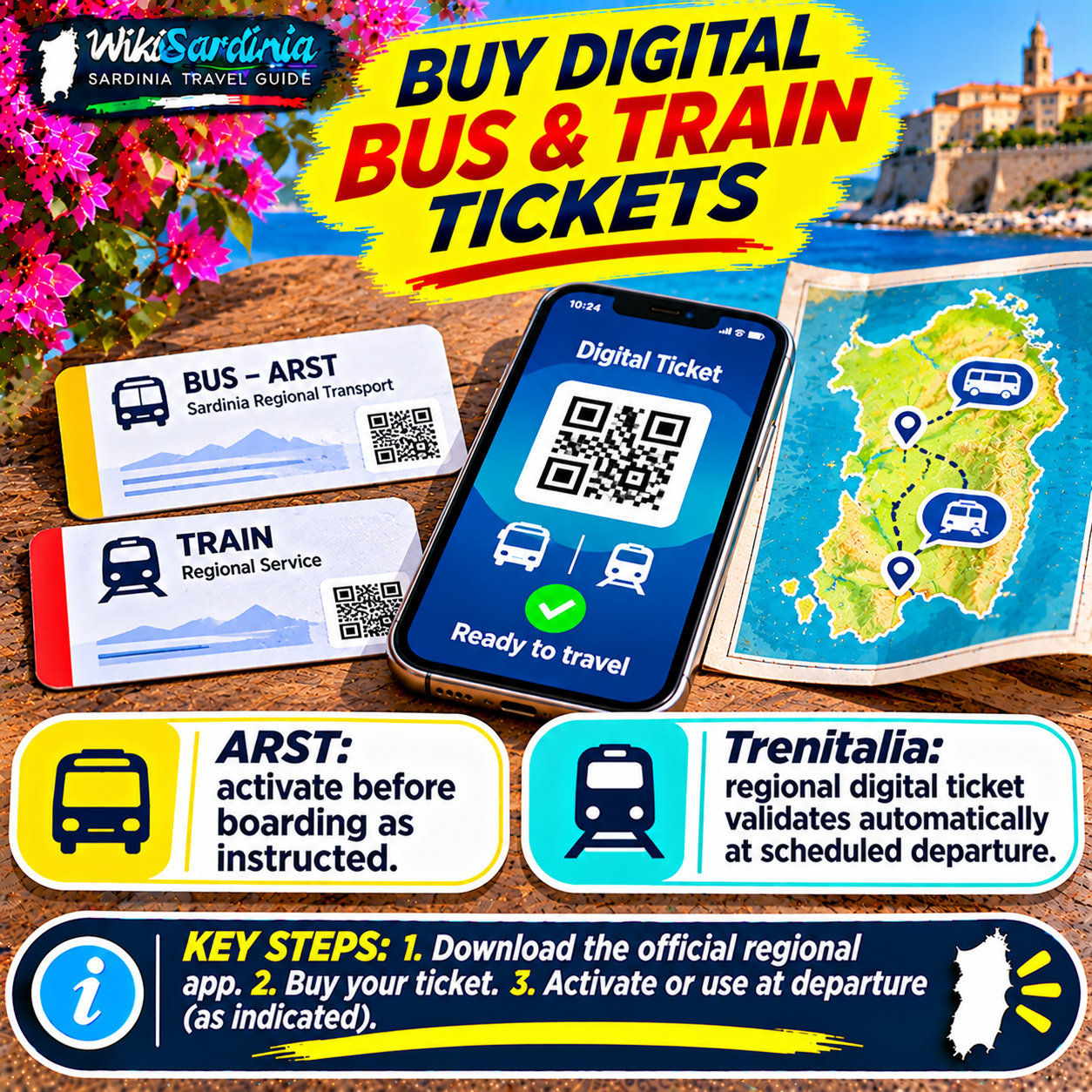
You can buy many Sardinian bus and train tickets on your phone, but the correct app and validation process depend on the operator. For ARST buses and certain ARST rail services, TABNET, DropTicket and Around Sardinia are established options. For Trenitalia regional trains, the Trenitalia app or website is the most direct route. MooneyGo also sells supported train and bus tickets, but you should never assume that every local Sardinian bus fare appears in its catalogue. Crucially, buying a ticket and validating it are different steps.
Which app should I use?
First identify the company operating your journey. ARST runs many intercity buses and some rail services; CTM operates urban services around Cagliari; other local operators include ATP Sassari, ATP Nuoro, ASPO and Sun Lines. Trenitalia operates regional trains on the main railway network. The Sardinian Region announced an updated Around Sardinia platform on July 23, 2026, supporting trip planning and ticket purchases for ARST, ASPO, ATP Nuoro, ATP Sassari, CTM and Sun Lines. Always verify the actual ticket shown for your chosen service.
How do I buy an ARST ticket with TABNET?
- Install the genuine TABNET app from your device's official app store.
- Open the transport-ticket section and select the supported area or transport operator.
- Choose the correct route, fare or ticket type and review its validity conditions.
- Check the total charge and pay using a method offered in the app.
- Open the purchased ticket in the app and follow its activation or validation instructions when you board.
- Show the original active ticket on your phone to the driver or inspector as required.
TABNET's terms explain that users select the area or city and the desired ticket, and that only participating operators shown in the app are supported. ARST's 2025 Mobility Charter explicitly recognizes TABNET, DropTicket and Around Sardinia mobile ticketing.
How does ticket validation work on ARST?
ARST says electronic tickets bought through its supported apps must be validated when boarding according to the app's instructions and shown to the driver. The precise method can depend on the service and ticket: follow the current on-screen instructions rather than assuming that every QR code is scanned the same way. Keep the ticket accessible for inspection throughout the journey. The Mobility Charter also describes special procedures on MetroCagliari and MetroSassari where onboard QR validation is unavailable; ask the operator for the current instructions for your specific ticket instead of improvising.
Can I use Around Sardinia instead?
Yes, for supported tickets. Around Sardinia is the regional platform bringing together journey planning, timetables and digital purchases for several local operators. Select the operator and route, verify that the displayed fare covers your entire journey, pay, and follow the app's validation directions. It is especially useful when you are unsure which company operates a bus, but a journey planner is not itself proof that a single ticket covers every leg.
What about MooneyGo?
MooneyGo's official transport page advertises ticket purchases for Trenitalia and other participating rail and bus services, as well as ticket validation where supported. Open the app and search for your precise route and operator. If a local Sardinian bus route or fare does not appear, use the operator's authorized sales channels or Around Sardinia instead. Do not assume that MooneyGo and TABNET offer identical Sardinian coverage.
How do I buy a Trenitalia regional train ticket?
- Open the official Trenitalia app or Trenitalia website.
- Enter your departure and arrival stations, travel date and passenger details.
- Select the regional service and check the fare and departure time.
- Pay and retrieve your named digital ticket in the app or through the booking link.
- Check that the ticket is for the right train and bring identification if requested.
According to Trenitalia's current regional travel instructions, the ordinary Biglietto Digitale Regionale validates automatically at the scheduled departure time of the selected train. You do not need to perform the older manual check-in step for this ticket type. Trenitalia also distinguishes other electronic regional ticket types, whose conditions may differ. Some older help pages still describe manual check-in; prioritize the current ticket-specific instructions.
Can I change my train time?
Trenitalia states that its ordinary regional digital ticket permits unlimited date and time changes until 11:59 p.m. the day before travel, and time changes on the day of travel until the scheduled departure of the selected train, subject to the applicable conditions. Do not assume these rules apply to every special ticket, multi-operator itinerary or ticket bought through a third-party app. Check the conditions displayed in your booking.
Can I show a screenshot instead of the app?
Do not rely on screenshots as a universal substitute for a valid mobile ticket. Some systems require the original active ticket, a changing display or a validation state in the app. ARST requires presentation of the original ticket, and other operators can have their own rules. Open the official ticket screen and keep your phone charged; a photo of an unactivated QR code may not prove that you have a valid ticket.
What if I have no mobile data?
Buy and retrieve your ticket while you have a reliable connection and check whether the specific app permits offline display or activation. Never assume that a ticket which appears in a purchase confirmation email can be validated offline. If activation requires connectivity, complete it at the time and place specified by the operator. For rural journeys, consider buying a valid paper ticket from an authorized outlet if phone access is uncertain.
Can I buy a ticket on the bus?
Do not count on it. ARST's general Mobility Charter describes onboard purchase on some services with a surcharge, but excludes certain metro services. An ARST addendum for particular Sulcis services specifies that tickets must be purchased before boarding and are not sold onboard. Check the exact route's conditions, and buy in advance whenever possible. A driver may not be able to sell you a ticket.
Do electronic tickets work across buses and trains?
Not automatically. A ticket for an ARST bus is not necessarily valid on a Trenitalia train or a city bus operated by another company. Some integrated fares exist, but they must be explicitly stated in the fare conditions. If your journey involves two operators, verify whether you need two separate tickets and whether each requires its own validation.
How much do digital tickets cost?
Prices depend on operator, distance, fare category and any applicable sales fees. TABNET's terms state that the payable amount includes the price and any applicable additional charges shown at purchase. There is no single Sardinian bus or train fare. Compare the fare shown in the app with the operator's published tariff and check for any additional service fee before confirming payment.
What if my payment goes through but no ticket appears?
Check the app's ticket wallet, purchase history and email confirmation. Avoid repeatedly paying until you know whether the original transaction succeeded. If no valid ticket is available, contact the app's customer support or the operator and use an authorized alternative before boarding. A bank payment notification alone is not proof of a valid travel document.
What if the app or QR validation fails when boarding?
Tell the driver or appropriate staff member immediately and follow the operator's official instructions. ARST's Mobility Charter describes procedures when a physical validator is missing or broken, but those should not be assumed to solve every mobile-app problem. Do not ride on an unvalidated ticket while hoping a screenshot or purchase receipt will suffice.
Can tourists use foreign credit cards?
Payment acceptance varies by app and card issuer. Check the available methods at checkout and whether your bank permits Italian online transactions. A US-issued card may trigger an authentication step, and foreign-transaction charges may apply. Set up your payment method before you reach a remote stop. If an app is incompatible with your card, look for an authorized ticket seller or the operator's own online channel.
Useful Italian phrases
“Dove posso comprare il biglietto digitale?” means “Where can I buy the digital ticket?” “Devo convalidare il biglietto?” means “Do I need to validate the ticket?” “Questa app funziona per questa linea?” means “Does this app work for this route?” “Il biglietto è valido anche sul treno?” means “Is the ticket valid on the train too?” “Non riesco ad aprire il biglietto.” means “I can't open the ticket.”
Before boarding: six-step checklist
- Identify the actual operator, not just the route shown in a map app.
- Choose an authorized ticket app that lists your operator and fare.
- Check the travel date, route, passenger count and total price.
- Confirm the ticket is issued and visible in the correct app.
- Validate ARST and other local tickets exactly as instructed; for an ordinary Trenitalia regional digital ticket, note automatic validation at scheduled departure.
- Keep your phone charged and the original ticket accessible until the end of the journey.
The WikiSardinia takeaway
For ARST, TABNET, DropTicket and Around Sardinia are recognized digital options; for Trenitalia regional trains, use Trenitalia's official channels or another authorized seller. MooneyGo is useful for participating services, but not a guarantee of every Sardinian local fare. Always check whether you need to activate your ticket before or at boarding: an electronic purchase is not automatically a valid ride on every service.